Where does my data go?
It stays on your device. There is no account and no cloud. The maker cannot read it. Today the app collects nothing at all.
A private training and match log for competitors who train hard and want the numbers to prove it — dry-fire trends, classifier average, stage breakdowns, round count, cost, and malfunctions.
Nothing to install. Add it to your home screen and it behaves like an app. It is still being built — you can use it today, and App Store and Play Store versions are planned. Get one email when they land.
Before you click anything
Straight answers, before you tap anything. This section exists because you're right to be careful.
It stays on your device. There is no account and no cloud. The maker cannot read it. Today the app collects nothing at all.
Nothing right now — I'm building it in the open and it's free while I do. It won't always be free: when I set a price it'll be a one-time purchase, not a subscription, and you'll see it here first. Dry-fire logging is free forever and never counts toward anything. So is logging matches, and so is looking at and exporting everything you've already put in.
No. Open the web app and start. If you want to be told when the native apps launch, one email — that's the whole ask.
No. Nothing is sent today. Two things are planned, and they work in opposite directions: anonymous usage and crash reports — which screens get used, what breaks — arrive switched on, with one switch to turn them off, except in the EU and EEA, where the app asks first; benchmarks stay off everywhere unless you switch them on. Either way, what leaves is aggregate numbers worked out on your own device — never the log, never anything identifying, never sold.
You save a file from one and load it on the other, through your own iCloud or Files. No middleman.
No. A PractiScore export brings a match in stage by stage; a USPSA export brings your classifier scores in. Neither one gets retyped.

Why this exists
“I could hit a static target with unlimited time. Then a class added a timer, movement, and pressure — and it fell apart. I stopped guessing and started measuring. That became FirearmLog.”
I came to the sport late knowing nothing. I'm early in my first season, training every week and working toward my first USPSA classification. The full story — how the log was built, what it fixed — lives at My story.
— Michael Minik, founder
What the log answers
Every screen below is a real surface in the app, populated from the ready-made sample log. Log a session; the trend does the rest.
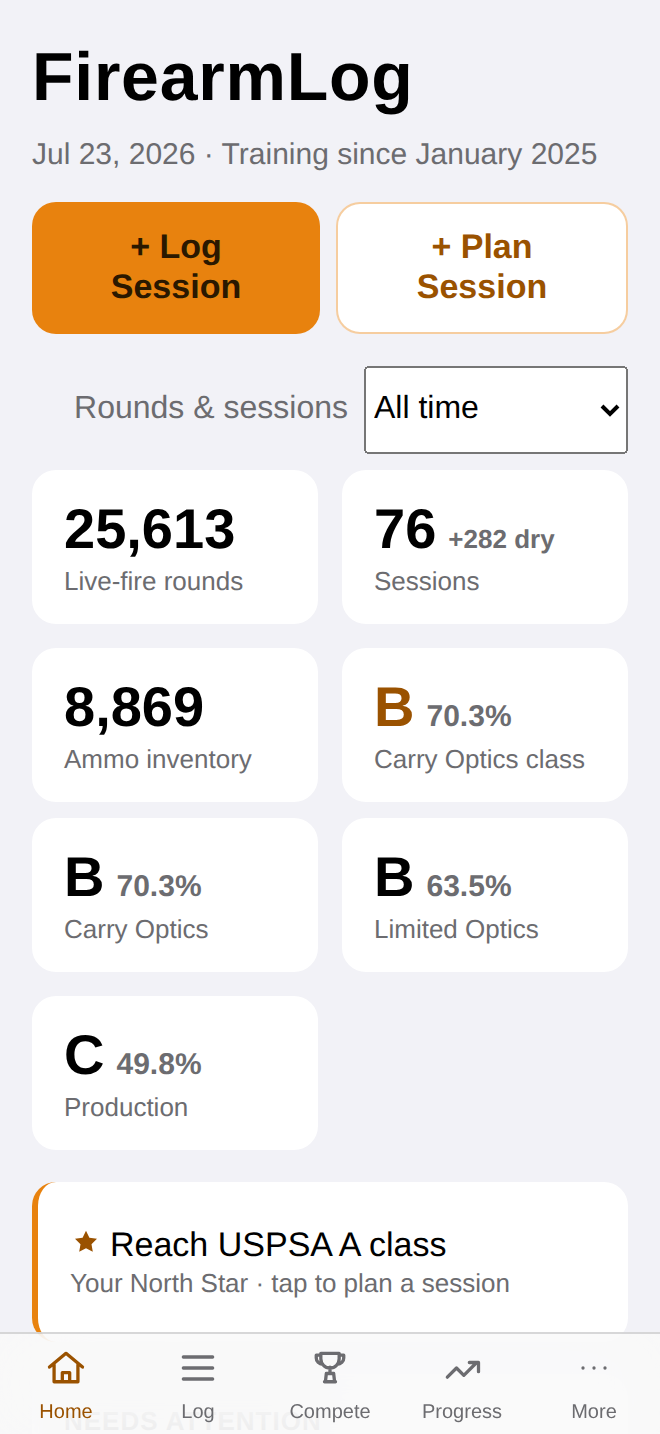
Log the drill, the time, the score — dry-fire and live. The log turns attempts into a trend, so improvement stops being a feeling and starts being a line.
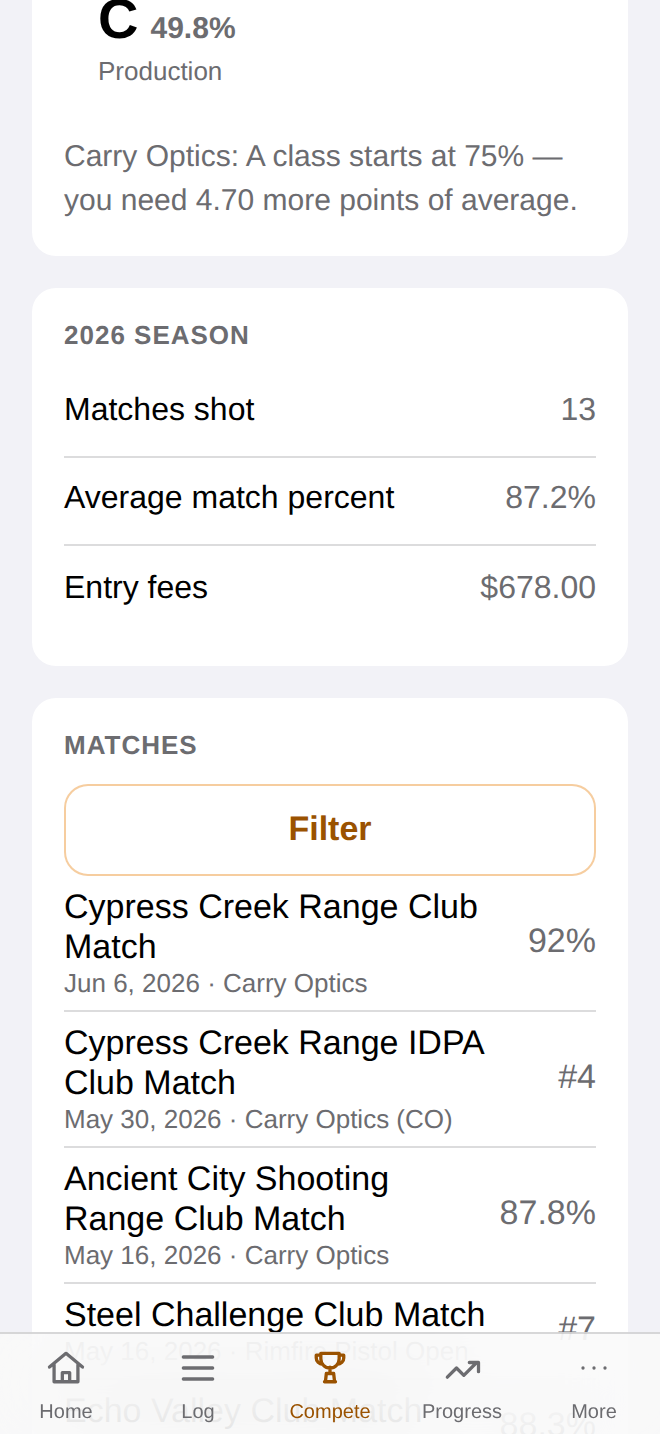
Your current average in every division you run, sitting next to exactly how far your average is from the next class. The math is done.
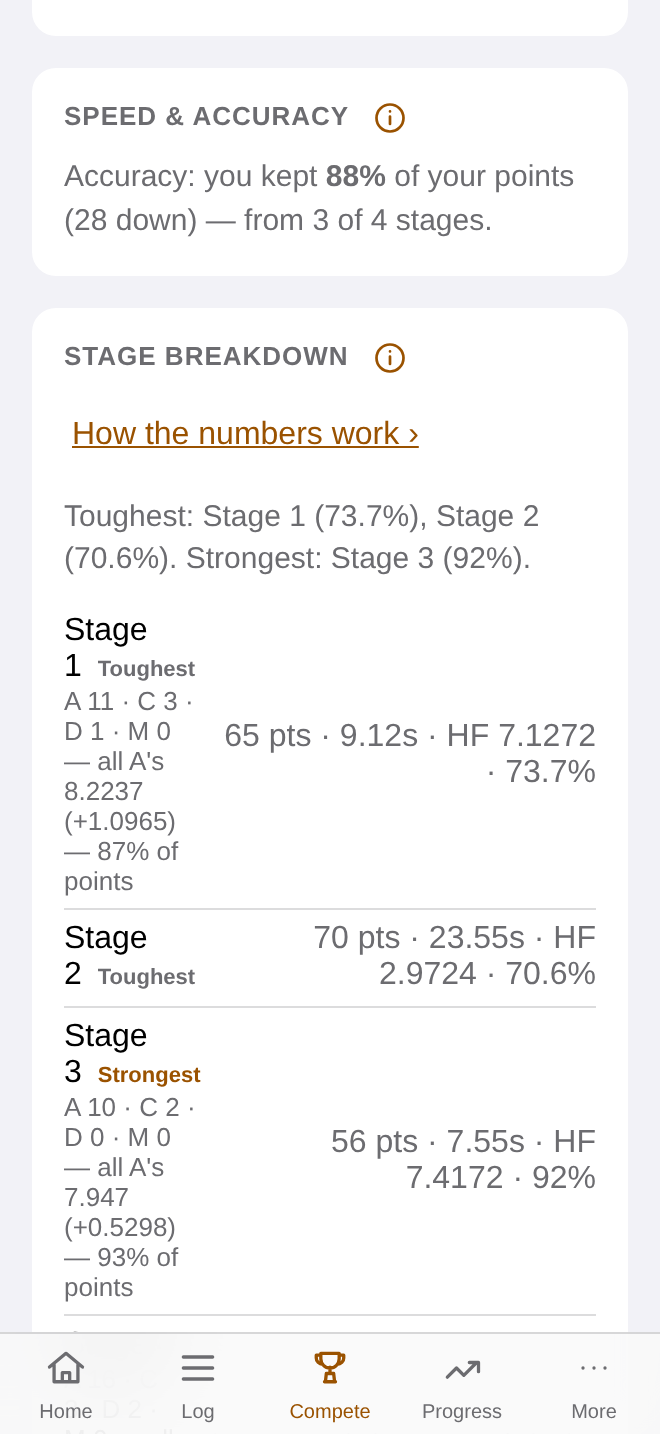
Import a PractiScore export and look at the match the way you replay it in your head — stage by stage, points and time side by side. Classifier scores come in from a USPSA export. Nothing retyped.
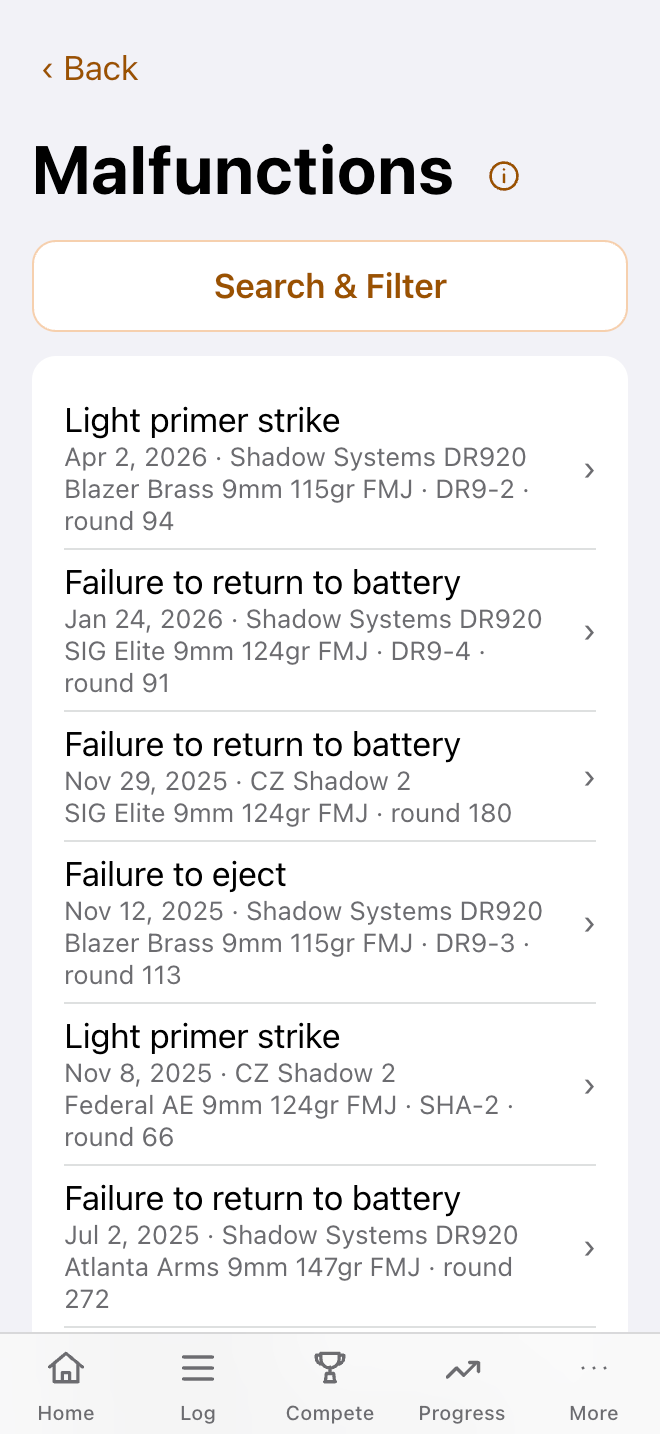
Log a malfunction with a cause and, if it matters, which magazine was behind it. Round count per gun keeps itself. Set the manufacturer's schedule or your own — the log flags work due before a match does.
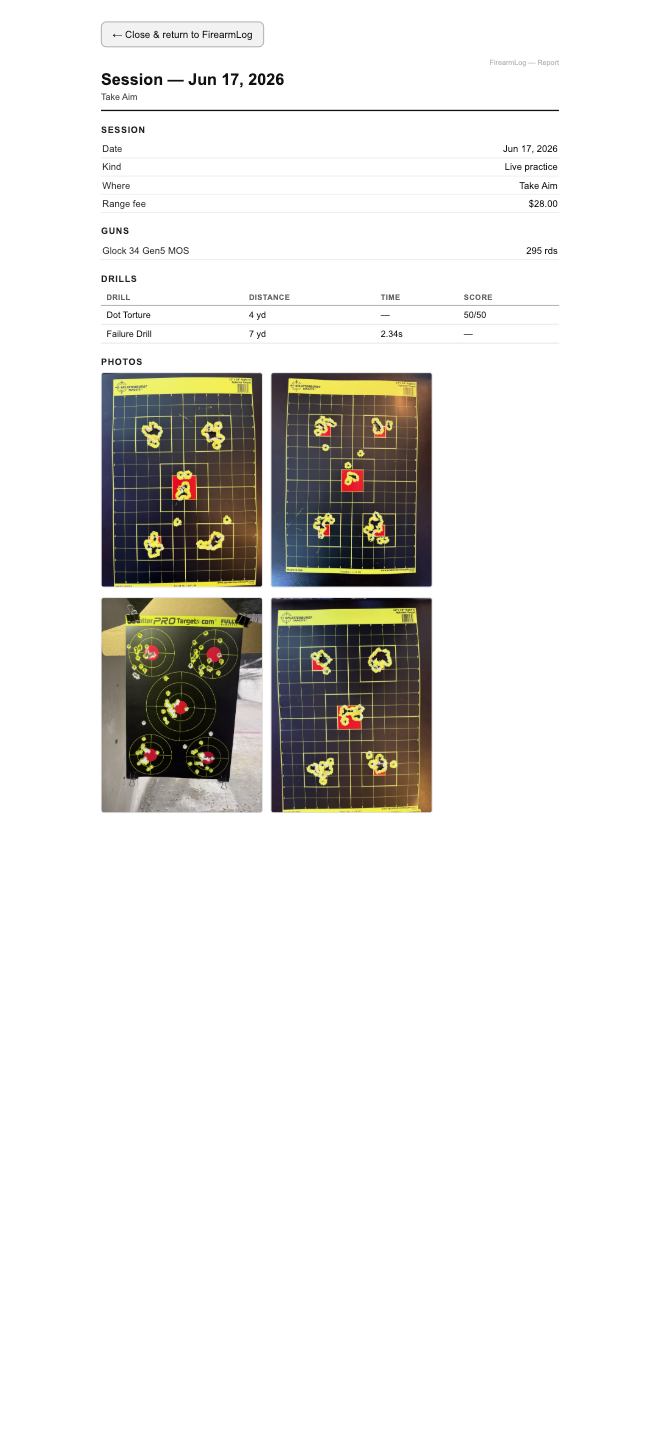
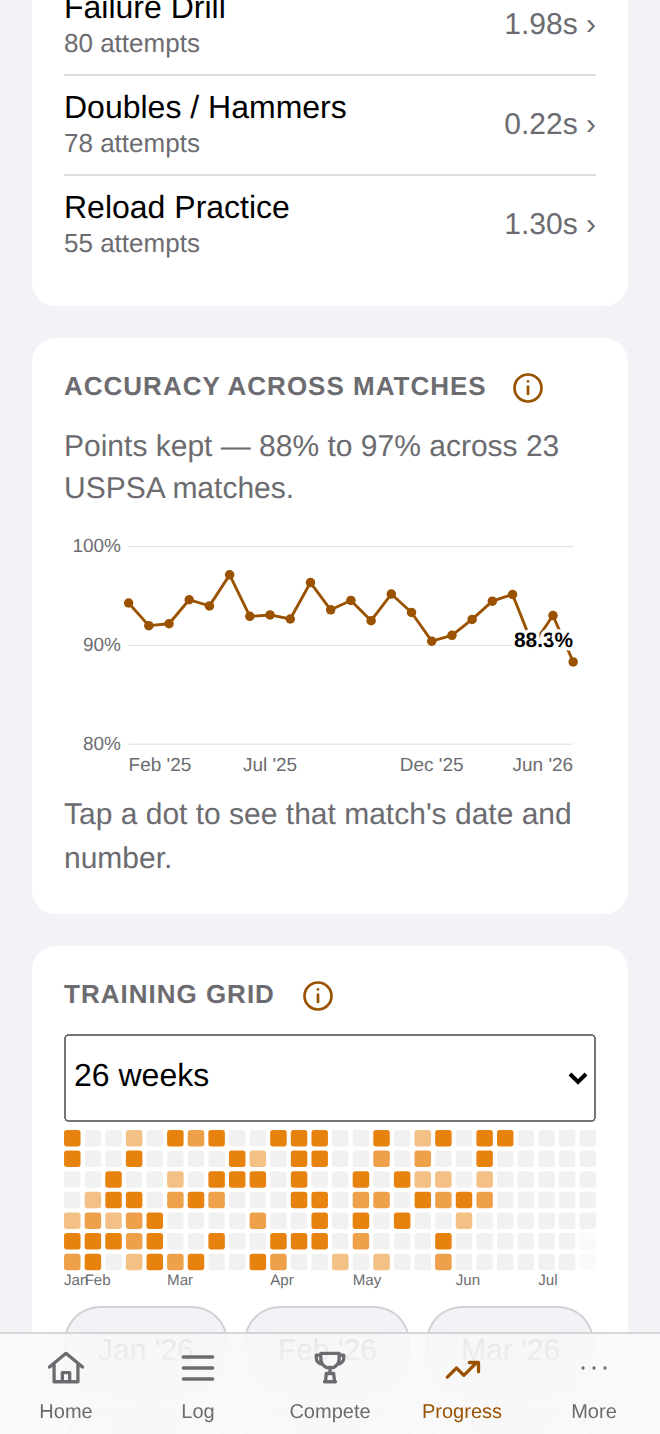
A calendar grid of the days you trained — darker means more rounds — with your drill times and match accuracy trending above it. Tap a day and its session report opens.
Also in the log: season cost — range fees, match fees, and consumables, tracked once — down to per-round and per-item spend. And your goals, with one North Star pinned to the dashboard.
Come back tomorrow and it's looking back at you.
A week from now, the chart is the point. A season from now, the answer to “am I improving?” is a line, not a feeling.
First three minutes
That's it. The rest — round count, maintenance, cost, trends — runs itself once entries start landing.
Division and starting round count. Takes a minute.
Built for thumbs at the range. A minute or two.
The log is looking back at you — and the trends start filling in.
Local-first, on purpose
There is no account and no cloud in the loop. You control every copy of your data, and moving it between devices is a file you save and load.
Free, no sign-up — always
Written for competitors, in the sport's own vocabulary. Read one, use one, close the tab — no email wall.
What the number is, why it decides the stage, and how to read it on your own runs.
GuideHow classifiers score, how the average is calculated, and what the next class actually requires.
GuideWhat each division allows, what it doesn't, and how to choose the one you'll actually train.
GuideWhat happens at the range that morning, in the order it happens. Show up ready.
GuideA short, repeatable session you'll actually run on a weeknight, and how to log it.
Nine calculatorsHit factor, classifier percentages, power factor, and more. No sign-up.
One tap from here
Open the log in your browser. No account, no download, nothing to cancel. One gun, one session, and the trend line starts.
Runs in your browser. Add to Home Screen and it behaves like an app. Still being built — what you open today is an early version.
One email at launch
One email when the iPhone and Android apps land. Occasional updates. No spam. Unsubscribe anytime.
You can also just open the web app now. No email required.